Fund Comparison Report
The Fund Comparison Report option in FirmPlus provides a single, comprehensive report designed to analyze and compare a group of funds in the same asset category. You can choose to include as many as four funds to compare. This report is great for providing a supplemental reporting packet where fund analysis and comparison is required beyond the standard investment review report.
In This Article
· Configure Category & Funds for Report
· How to Access Reports in the Report Archive
Configure Category & Funds for Report
The Fund Comparison report is a self-contained ad-hoc report configured differently than other reports or report sections within FirmPlus. The Fund Comparison report is accessed by way of the "Add Funds" configuration screen under Fund Lineup.
When Passive Scoring is enabled for a plan, the secondary benchmark is automatically set to the prospectus benchmark for the fund. This setting cannot be changed for index funds.
- Select a Plan from the Plan Management screen. You will be taken to the Fund Lineup page.
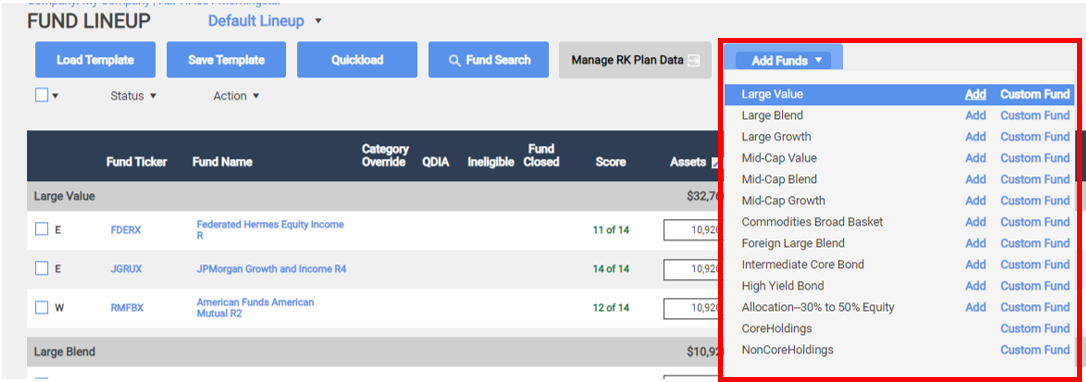
- Click the Add Funds dropdown on top of the page. Then select the desired Asset Class by selecting the Add option. A new window will pop-up.
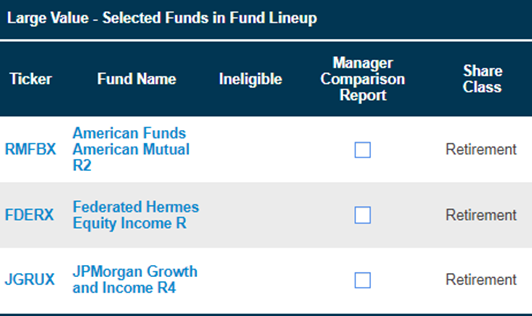
3. Current funds in your lineup will appear in the Selected Funds in Fund Lineup table.
4. Search for desired funds in the Search/Add Funds search engine below. 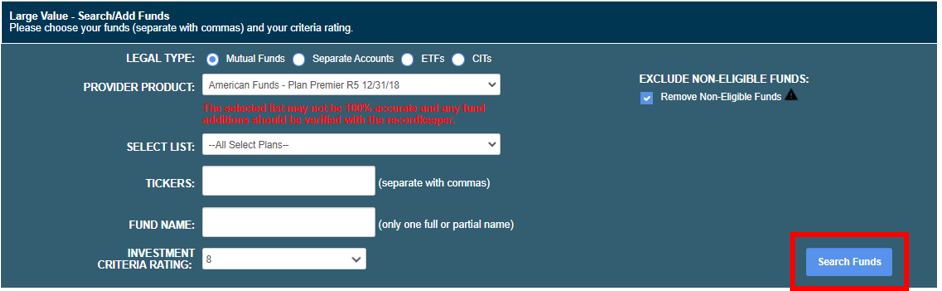
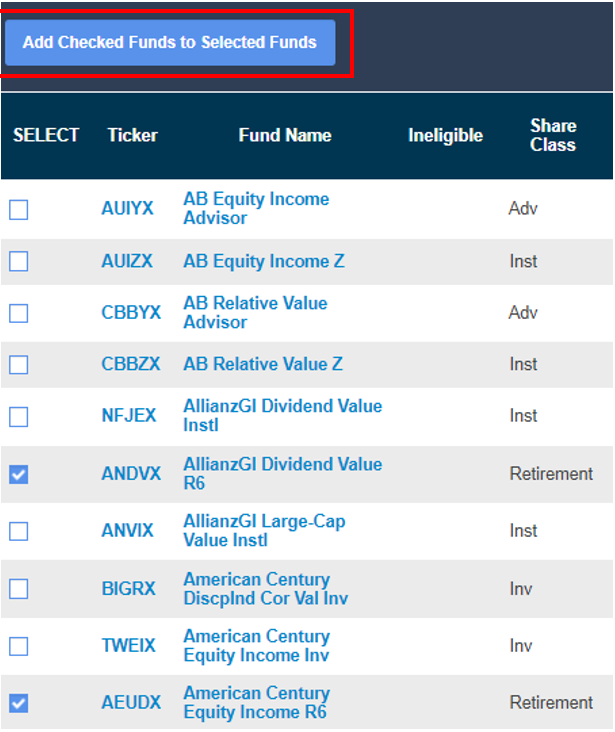
5. List of available funds to choose from will appear. Choose funds for comparison by checking the SELECT box. Once all funds have been selected, then click blue Add Checked Funds to Selected Funds.
6. Funds will display in separate Selected Funds NOT in Fund Lineup table.
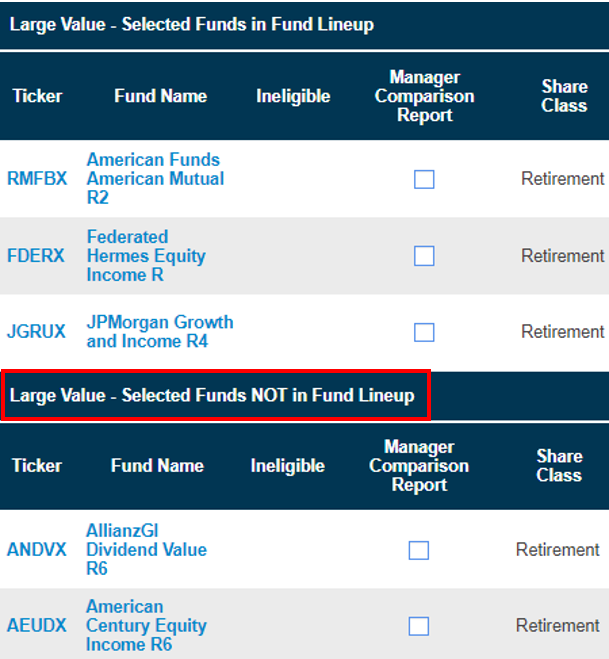
7. Select funds for comparison via Manager Comparison Report column checkbox.
A combination of current and proposed funds, up to four in total, can be selected for any one report.
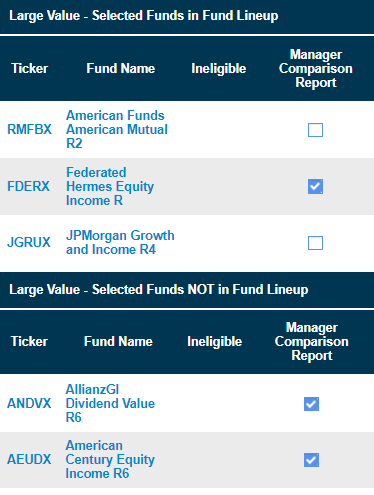
8. When ready to generate the report, click the blue Generate Manager Comparison Report button.

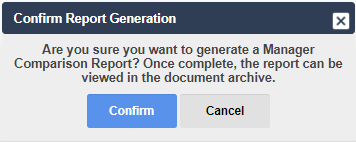
9. A note will pop-up confirming the report is being generated and will be delivered to the Report Archive when completed (see below).
How to Access Reports in the Report Archive
The Report Archive is where you can download generated reports and review the status of reports that have been requested. The new Fund Comparison Report will carry both the Report Name and Asset Class, that you selected, in the Report Archive title.
Click here for help with accessing the Report Archive.