If you have a Plan in your FirmPlus account where the saved score history needs to be deleted, you can follow the steps below to reset the score history for the investment lineup in your Plan. By following these steps you will reset the Plan's fund lineup and any previous score history will not display online or in generated reports.
Note: You will need to reconfigure your fund lineup, assets, fund status, and fund commentary after following the steps below.
- Log into FirmPlus.
- Select a Plan on the Plan Management screen You will arrive on the Fund Lineup Screen.
- Click the Menu button in the upper left-hand corner.
- Click the Management tab.
- Click Investment Management and then click Fund Lineup Management.
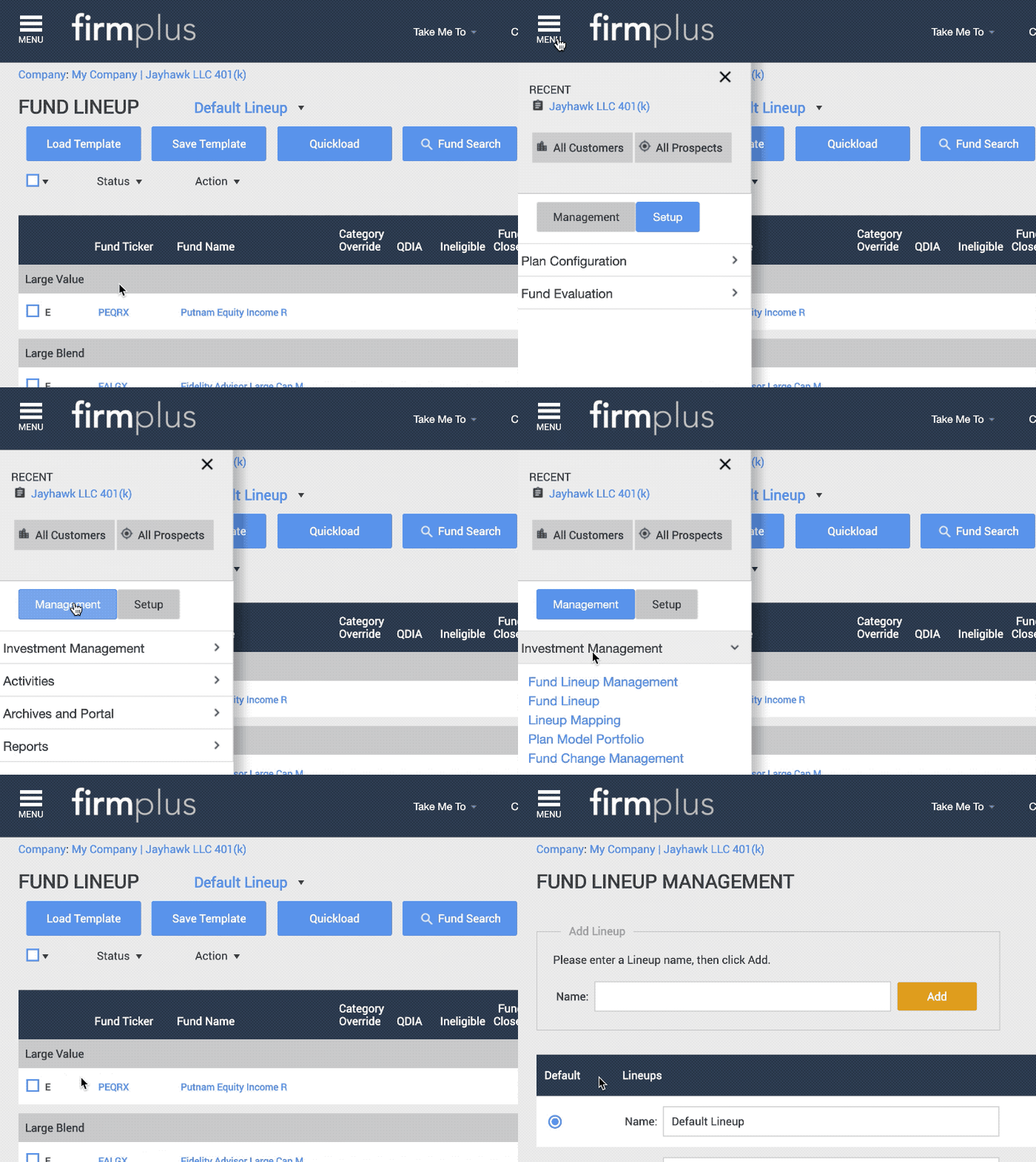
- On the Fund Lineup Management screen you will need to create a new lineup.
- Enter a lineup name (we recommend “New Default Lineup”) in the text box. This lineup name does not appear in the report.
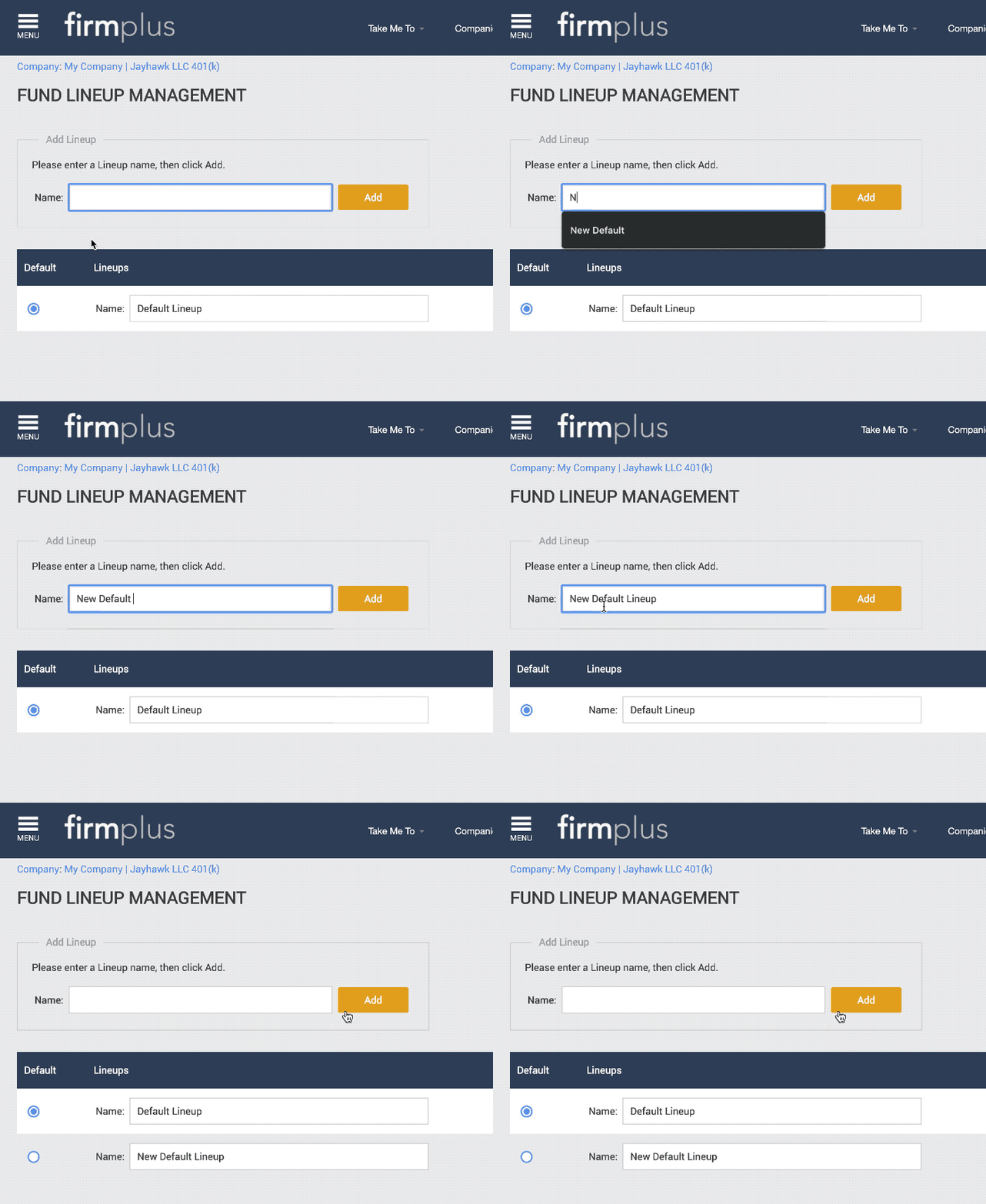
- Click the Add button.
- The lineup will appear below in your lineup list.
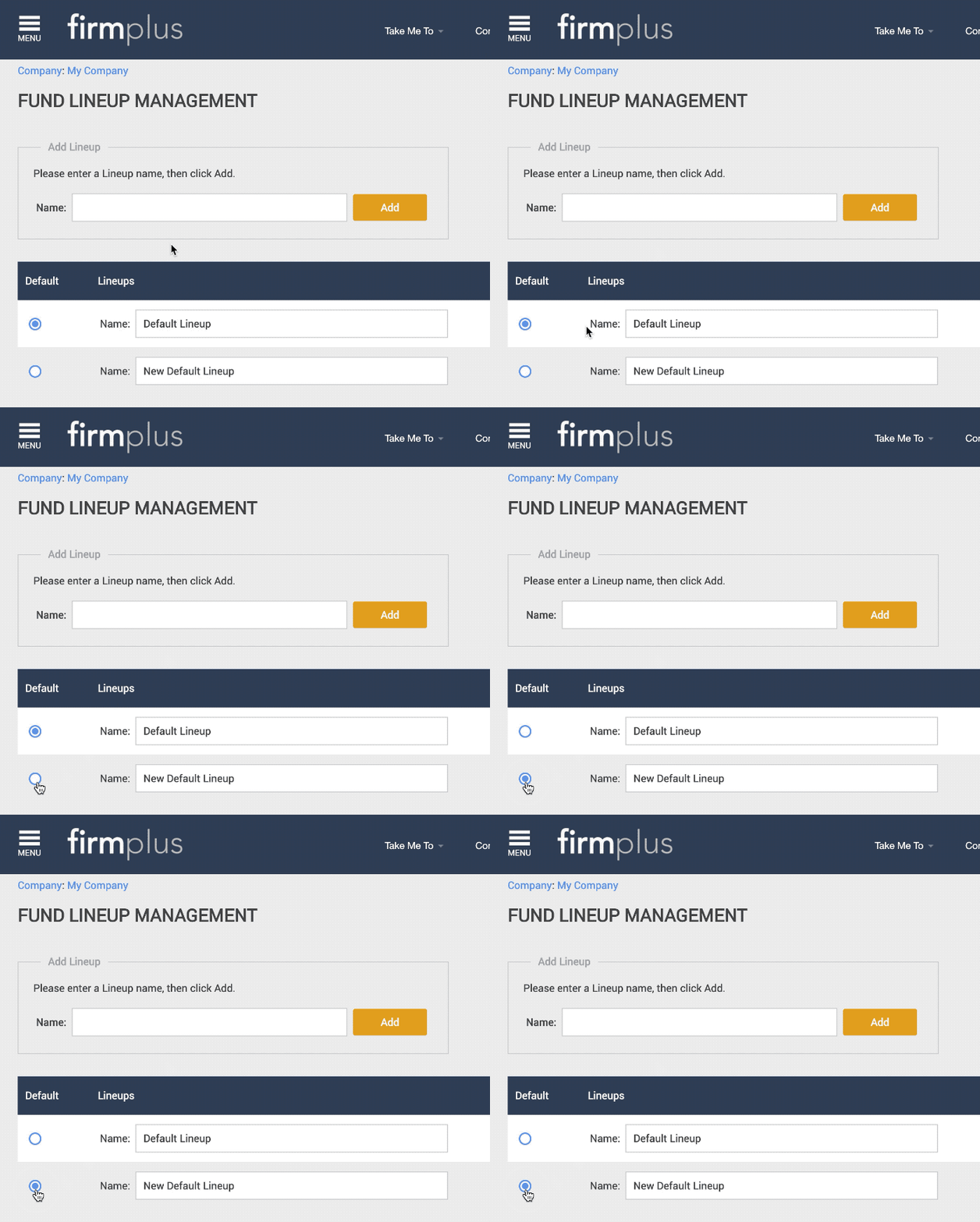
- Change the Default radio button selection from your old default lineup to your newly created lineup.
- Return to Fund Lineup screen by clicking Menu, then Investment Management, and then Fund Lineup.
- Use the lineup drop-down to switch to your newly created lineup.
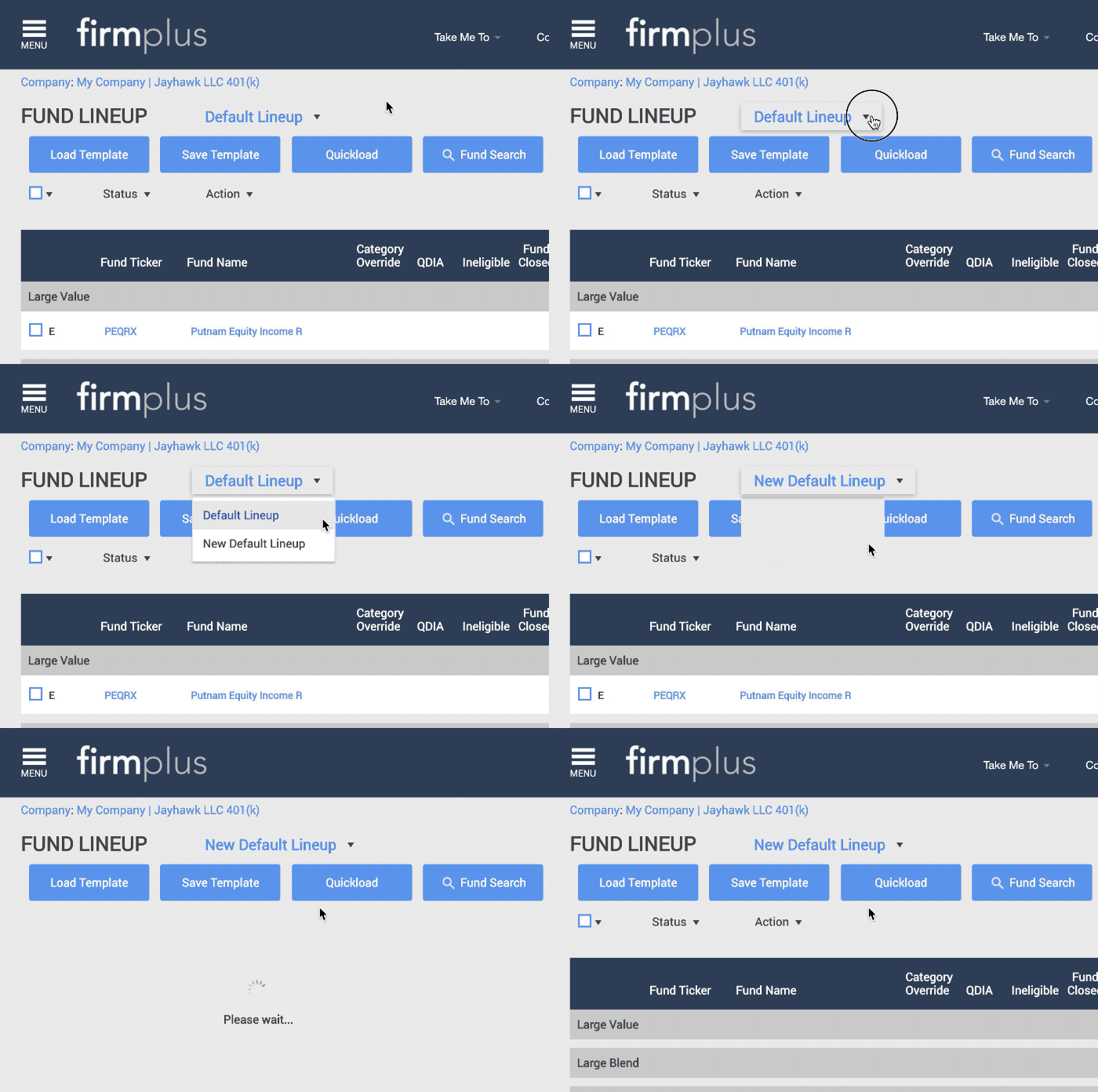
- You will now need to re-configure your fund lineup. This can be done by importing the Recordkeeper Data Feed, or by manually adding funds and assets.
- Once your funds and assets are loaded, you will need to re-select fund status changes you had made previously (for example, changing a fund to Watch List status).
- If necessary, you can edit your evaluation criteria settings for the Plan.
If you have any questions about this process or are unclear on the impacts, please reach out to our Support Team for assistance!
Important Notes:
- The next time you access the plan, your newly created and selected Default Lineup will load automatically.
- While you can go in and delete your old lineup from the Plan, we advise not doing so until you have fully setup the new fund lineup in case you wish to use the old lineup as a reference.