If you previously created a Plan manually in FirmPlus that is subsequently now available via the UBS data feed, you can use the Merge Plan feature to merge the two Plans.
By using the Merge Plan feature, this will allow you to maintain your Plan's selected evaluation criteria, investments, fund scoring history, and previously generated reports, while taking advantage of the new Report Distribution features.
Only Plans that are linked to the UBS data feed will have the Merge Plan feature, e.g. manually created Plans cannot initiate the Merge Plan process.
How to Merge Plans
- Access the Plan Management screen.
- Use the Quick Search box in the upper left hand corner to enter the name of a Plan.
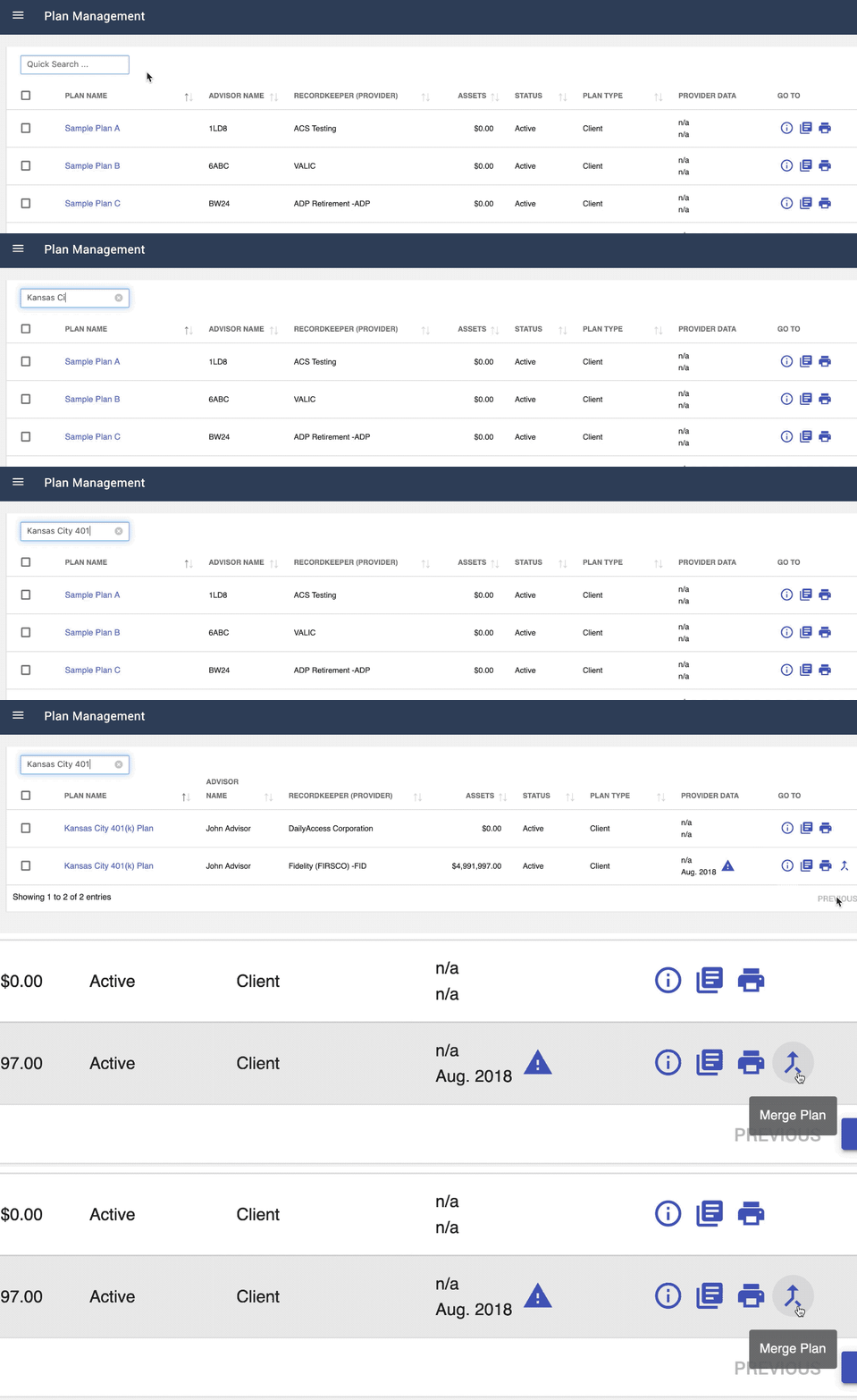
- When the search results appear, click the Merge Plan icon (two arrows intersecting) in the Go To column.
Only plans linked to the UBS data feed will have the Merge plan icon available.
- On the Merge Plan screen, choose a Plan from the Mergable Plans drop-down list.
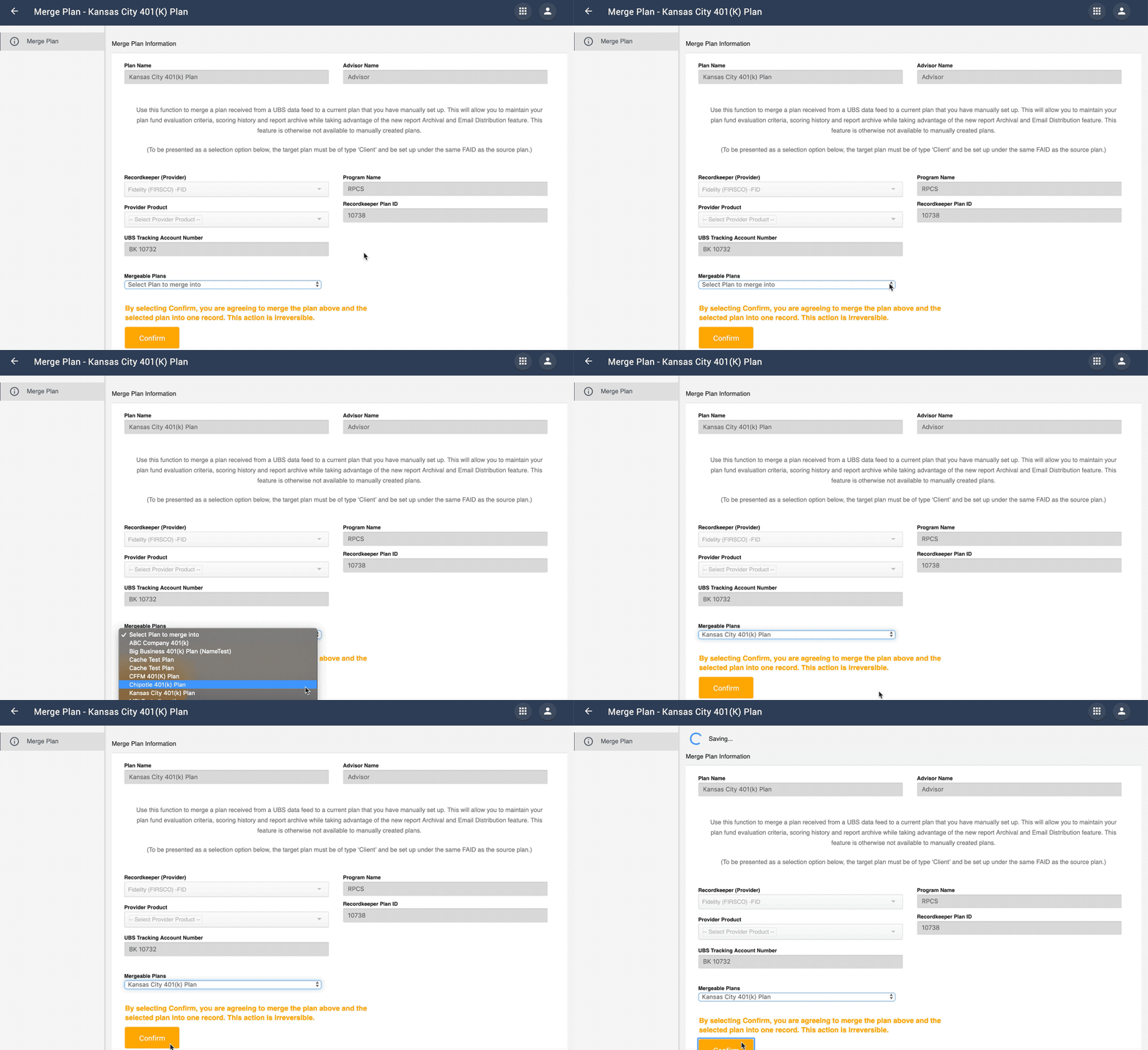
- Click Confirm to start the Merge Plan process.
- A Saving indicator will appear at the top of the screen.
- When the Merge Plan process is complete, a notification will appear at the bottom of the screen.
- As a result of this process, the Plan that was merged will now be tied to the UBS data feed, and the Report Distribution feature will now be available.
- The source Plan will have UBS tracking information removed and will be set to Inactive automatically.
If you have trouble completing the Merge Plan process, or a Plan you wish to merge is not available in the list, please contact the Support Team for assistance.